How to Avoid LinkedIn Restrictions: Safe Outreach Limits by Account Scenario [2026]
Avoid LinkedIn restrictions with safe daily limits by account scenario: new profiles, aged accounts, and warmed-up reps. Includes 2026 updated limits.
Planning to scale LinkedIn outreach? The biggest mistake is going too hard, too fast.
LinkedIn restricts accounts based on activity patterns, account history, and engagement quality. Send 100 connection requests on day one, and you'll trigger instant flags. But a warmed-up account can handle up to 25 connection requests per weekday safely.
This guide breaks down safe operating limits by four scenarios: new accounts, inactive accounts, active personal accounts, and professional rented representatives.
The Three Ways LinkedIn Restricts Accounts
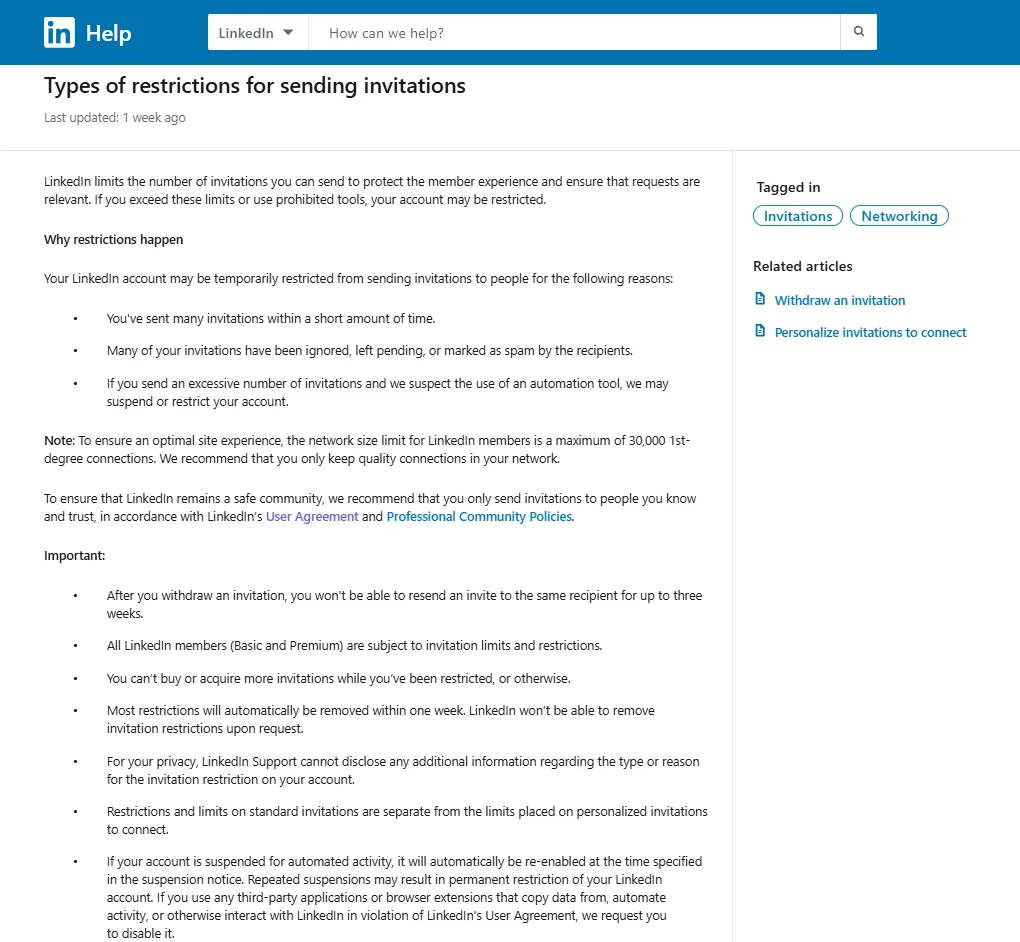
LinkedIn restricts accounts for three reasons:
- Volume: Too many invitations in a short time
- Rejection rate: Invitations ignored, pending, or marked spam
- Automation detection: Excessive invitations + suspected bot activity
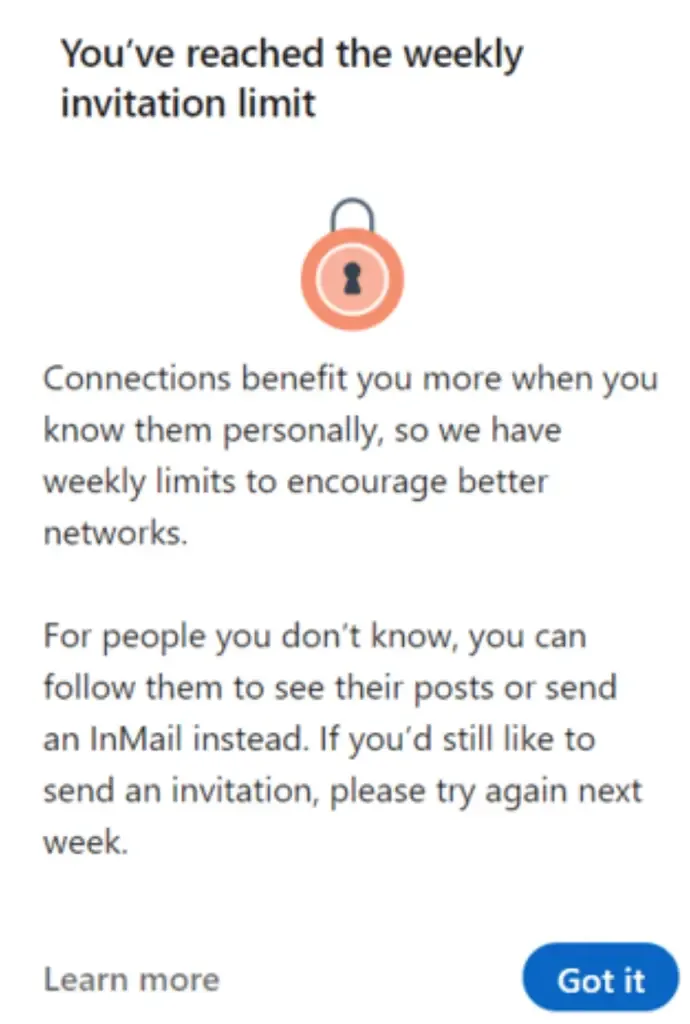
According to LinkedIn's documentation, most restrictions auto-remove within one week. All members (Basic and Premium) face limits. Repeated violations result in permanent restriction.
For more information: LinkedIn - Types of restrictions for sending invitations
Your Account Scenario Determines Your Limits
Scenario 1: New Account Warm-Up (0-8 Weeks)
New accounts need gradual warm-up. Sudden volume signals spam.
| Week | Daily Connections | Daily Messages | Daily Views | Focus |
|---|---|---|---|---|
| 1-2 | 3-5 | 5-8 | 20-30 | Manual only, complete profile |
| 3-4 | 8-12 | 10-15 | 40-60 | Light automation, engagement |
| 5-6 | 15-18 | 15-20 | 60-100 | Post content, build activity |
| 7-8 | 20-25 | 20-25 | 100-150 | Sustainable volume |
Key rules
- Spread activity across business hours (9am-6pm)
- Complete profile 100% before outreach
- No automation in weeks 1-2
- Target 30-35%+ acceptance rate
Scenario 2: Reactivating Inactive Account (6+ Months Dormant)
Shorter warm-up needed, but don't jump straight to maximum volume.
| Week | Daily Connections | Daily Messages | Daily Views |
|---|---|---|---|
| 1 | 8-10 | 10-15 | 40-60 |
| 2 | 12-18 | 15-20 | 60-100 |
| 3 | 18-22 | 20-25 | 100-150 |
| 4+ | 22-25 | 25-30 | 150-200 |
Priorities
- Update profile, post 1-2 times in week 1, withdraw old pending requests (30+ days).
Scenario 3: Active Personal Account (Consistent Daily Use)
Regular activity provides flexibility for higher volume.
| Account Type | Daily Connections | Daily Messages | Daily Views |
|---|---|---|---|
| Free (6+ months active) | 20-25 | 25-30 | 100-200 |
| Premium (6+ months) | 22-28 | 30-40 | 300-500 |
| Sales Navigator | 28-35 | 30-40 | 500-700 (SN interface) |
Requirements
- 30-35%+ acceptance rate, account age 6+ months, under 100 pending connections.
Testing ceiling
- Start conservative. Increase by 3-5/day weekly while monitoring acceptance. If acceptance drops to 20-25%, monitor closely and adjust targeting. If it falls below 20%, reduce volume by 30% immediately.
Scenario 4: Professional Rented Representatives (Ready-to-Go)
Professional reps operate as DIY - rent a profile/account (you manage) or DWY/DFY (provider manages).
Account requirements:
- Age: 1+ years
- Connections: 300-800+
- Some posting history
- Geographic/professional alignment
| Account Type | Daily Connections | Weekly Total | Notes |
|---|---|---|---|
| Free | 20-25 | 100-125 | Limited by 10 notes/month |
| Premium / Sales Nav | 20-35 | 100-175 | Higher end with strong acceptance |
Volume flexibility based on acceptance:
- 30-35%+ acceptance: Use stated ranges comfortably
- 25-30% acceptance: Use lower end of ranges, monitor closely
- Below 20%: Red alert — reduce to 10-12/day immediately
Free accounts hit the 10 personalized notes/month wall quickly. Most professional setups use Premium or Sales Navigator.
Safety notes: Avoid sudden pattern changes. Maintain geographic consistency. Keep 15%+ response rates. These accounts maintain organic activity alongside outreach — whether DIY or DWY/DFY, the representative continues normal LinkedIn usage (posting, commenting, responding) which provides natural cover for outreach volumes.
Warning Signs You're Approaching Limits
Immediate flags:
- CAPTCHA challenges when connecting
- "You've reached the weekly limit" message
- Slow message sending
- Connection request errors
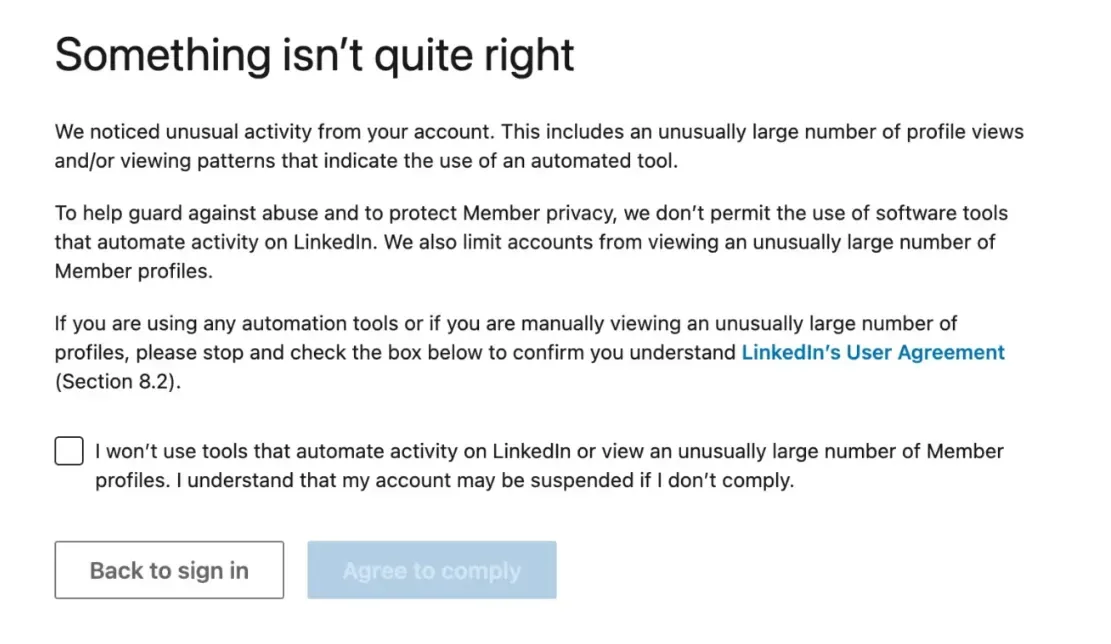
LinkedIn's progressive warning and restriction screens
Quality indicators to monitor:
- Acceptance rate drops to 20-25% (warning zone—adjust targeting)
- Acceptance rate below 20% (red alert—reduce volume immediately)
- Response rate below 12%
- Pending connections over 150
Reduce volume immediately when you see these signs.
Consequences When Detected
The account gets locked. LinkedIn requires government-issued ID verification. You can't provide this ID because you're not the person whose identity the profile represents.
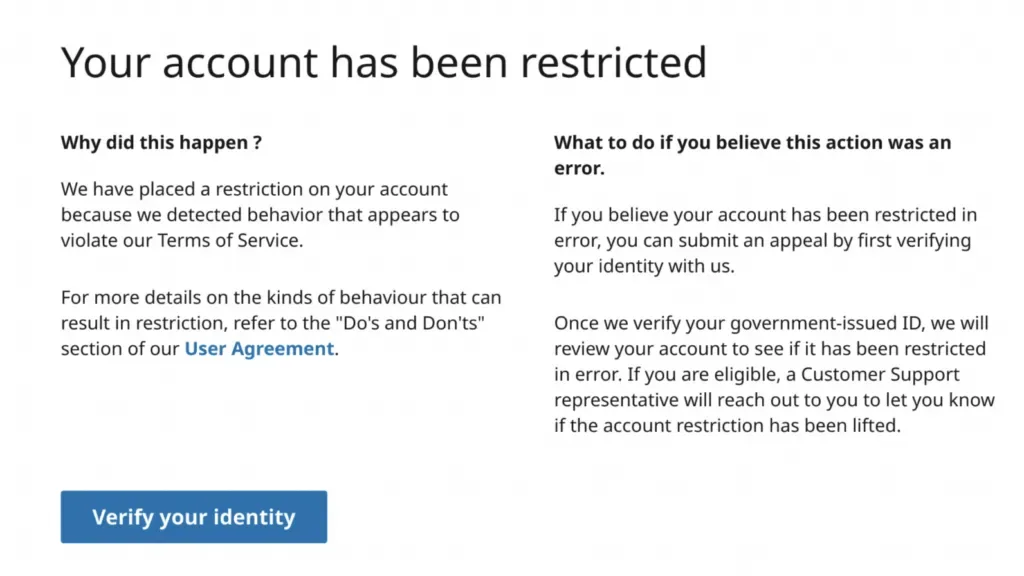
LinkedIn's identity verification requirement that purchased accounts cannot pass
For more information on how to fix your account when restricted: Why Your LinkedIn Profile Got Restricted (And How to Fix It in 2026): Technical Guide
Recovery Protocol If You Get Flagged
Days 1-3: Stop all outreach completely. Don't test restrictions.
Days 4-7: Light manual activity only (5-10 views, 2-3 comments). Wait for auto-removal.
Week 2+: Resume at 50% of pre-restriction volume. Increase 10% weekly. Add random delays (2-5 minutes). Improve targeting to achieve 30%+ acceptance.
First violations typically clear in 7 days. Second violations: 14-30 days. Third violations risk permanent bans.
FAQ
How long should I warm up a new LinkedIn account?
Minimum 4 weeks, ideally 6-8 weeks. Start at 3-5 connections/day manually for weeks 1-2. Light automation at 8-12/day for weeks 3-4. Scale to 20-25/day by weeks 7-8. Skipping warm-up triggers instant flags.
Can free accounts use the same limits as Premium?
Yes—warmed-up free accounts can reach 20-25 connections/day, same as Premium's lower range. The real limitation is the 10 personalized notes per month restriction. After 10 notes, you can only send blank requests. Premium gets unlimited personalized notes (300 characters vs 200) within weekly caps, making it practical for sustained outreach.
What SSI score do I need for higher limits?
Social Selling Index (SSI) ranges 0-100. Check at linkedin.com/sales/ssi. Most casual users: 20-30. Active professionals: 30-40. SSI 50+ is strong. However, acceptance rate matters more—35 SSI with 35% acceptance beats 50 SSI with 20% acceptance. Focus on acceptance rate first.
How do I calculate my acceptance rate?
Divide accepted connections by total requests sent (last 30 days). Target 30-35%+ for healthy outreach. 20-25% is warning zone—adjust targeting. Below 20% signals poor targeting and triggers restrictions even within volume limits. Monitor weekly and improve targeting when it drops. Note: 50-60% of LinkedIn users are inactive, so acceptance rates above 40% are difficult to achieve consistently.
Should I reduce weekend activity?
Yes. Keep weekends at 30-50% of weekday volume. If you send 22 connections Monday-Friday, drop to 10-15 on weekends. Consistent 7-day volume signals automation. Take one full day off weekly for realistic inconsistency.
LinkedIn restrictions follow predictable patterns. Match volume to your account scenario: new accounts start at 3-5/day and build to 20-25/day over 8 weeks. Inactive accounts reactivate over 4 weeks. Active accounts safely operate at 20-28/day (Premium: 28-35/day for Sales Navigator).
Monitor acceptance rates (30-35%+ target) and scale conservatively. Maximum safe ceiling: 25-30/day for most accounts, 30-35/day for Sales Navigator with strong performance. Work within your scenario's limits to build sustainable pipeline without restrictions.