My Team's Personal LinkedIn Accounts Are Getting Restricted — What Now?
Team LinkedIn accounts getting restricted? Here's exactly what to do, and how to prevent campaigns from going dark while you recover or rebuild.
Why Employee Account Restrictions Are a Different Crisis
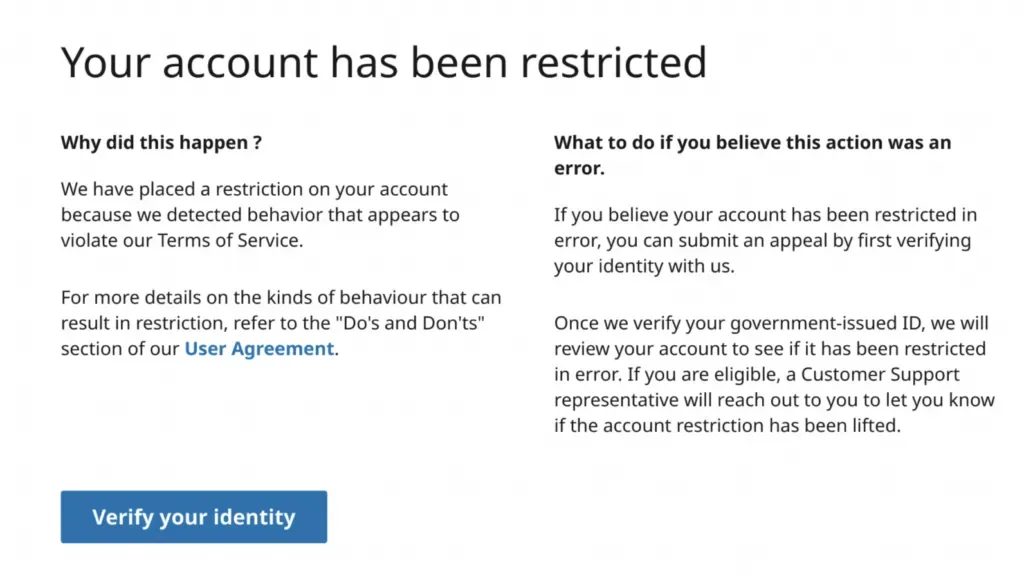
When your SDR says "I'm locked out of LinkedIn," you're not dealing with a simple vendor issue. This is someone's professional network, potentially 2,000+ connections built over years, now locked behind LinkedIn's restriction screen.
What's at stake:
- Employee's entire professional network and reputation
- Active prospect conversations (completely inaccessible)
- Years of connection-building work
- No "replacement" option, unlike a hired rep with a replacement guarantee
Personal LinkedIn accounts were never designed for high-volume outbound prospecting. When pushed beyond casual networking limits, restrictions are inevitable.
Immediate Damage Control (First 24 Hours)
Protect Your Other Accounts That Still Work
Once an account is restricted, you typically cannot access it at all. Your priority is preventing additional restrictions on team members who are still operational.
Account Health Audit Checklist
Monitor these metrics weekly, and act immediately if any fall outside safe range
| Health Metric | Safe Range | Action if Outside Range |
|---|---|---|
| Connection Acceptance Rate | 20%+ | Pause new requests 48 hours, refine targeting |
| Social Selling Index (SSI) | 30+ | Increase content engagement, complete profile |
| "I Don't Know" Responses | <2 per week | Stop outbound immediately, review targeting |
| Daily Request Volume | <20/day | Reduce to 12–15 daily maximum |
Save What You Can (From Working Accounts)
If your CRM isn't synced, do this now on accounts that still have access:
Data Backup Actions
Do this before any account faces risk: network data is irreplaceable
| Action | Why This Matters |
|---|---|
| Export all connectionsSettings → Data Privacy → Get copy of data | Backup network before potential lockout |
| Document high-value conversations | Preserve deal context and contact details |
| Save prospect email addresses | Enable outreach continuation via email |
| Record LinkedIn profile URLs | Allows reconnection from different channels |
Do this for every account still working. You won't get a second chance once restriction hits.
If the Account Is Permanently Banned: The Conversation with Your Employee
Acknowledge the Real Loss
Your employee has lost professional connections built over 5-10+ years, industry relationships, career opportunities from their network, and social proof.
What NOT to say:
- "Just create a new account" (violates LinkedIn TOS, will get detected)
- "It's not that big a deal" (minimizes real professional damage)
What TO say: "This restriction is permanent, and I'm sorry this happened while you were working on our behalf. Your professional network is valuable, and losing access has real career implications. Here's what we're doing to make sure this doesn't happen to anyone else, and here's how we'll support you moving forward."
The Recovery Timeline Talk
Be honest about what recovery looks like:
- Best case (5% probability): LinkedIn reverses permanent ban after appeal → 4-8 weeks
- Realistic case (40% probability): Temporary restriction lifts after ID verification → 1-2 weeks, account remains on watchlist
- Worst case (55% probability): Permanent ban stands, account unrecoverable → need alternative strategy
Recovery Steps (If Accounts Are Salvageable)
Understanding What You're Facing
Restriction type determines your recovery timeline and odds of success
| Restriction Type | Recovery Timeline | Success Rate |
|---|---|---|
| Identity Verification | 3–7 business days | 85–90% |
| Automation Detection | 24–72 hours | 70–80% |
| Community Guidelines | 1–4 weeks | 40–60% |
| Permanent Ban | None | <5% |
| The Official Recovery Process | Follow these steps in order: skipping ahead reduces your chances |
|---|---|
| 1 | Contact LinkedIn Support
|
| 2 | Wait for Response
|
| 3 | Post-Recovery Protocol
|
Post-Recovery Protocol
| Weeks Post-Recovery | Daily Connection Requests | Automation Allowed? |
|---|---|---|
| Week 1–2 | 5–10 (manual only) | ✕ None |
| Week 3–4 | 10–15 (manual only) | ✕ None |
| Week 5–8 | 15–20 | ⚠ Light (50% limits) |
| Week 9–12+ | 20 maximum | ⚠ Conservative (75% limits) |
Warning: Second restrictions almost always result in permanent bans.
Prevention Tips (If Staying on Personal Accounts)
The Hard Limits You Cannot Exceed
Stay within the safe conservative limit to avoid triggering LinkedIn's detection systems
| Activity | Absolute Maximum | Safe Conservative Limit |
|---|---|---|
| Connection Requests | 20/day | 12–15/day |
| Profile Views | 50/day | 25–30/day |
| Messages | No hard limit | Personalized only |
| Weekend Activity | Minimal | Avoid entirely |
Early Warning Signals (Monitor Weekly)
Act on these immediately: waiting increases the risk of restriction
| Warning Sign | Danger Threshold | Immediate Action |
|---|---|---|
| Acceptance Rate | Below 20% | Pause 48 hours, refine targeting |
| "I Don't Know" Responses | 3+ per week | Stop requests immediately |
| Security Prompts | Any unusual notifications | Reduce volume 50% |
| SSI Score Drops | Below 30 | Increase genuine engagement |
Why Personal Accounts Fail at Scale
The Math Problem
- One SDR's safe maximum: 20 requests/day = 300-400 prospects/month, after LinkedIn cut the monthly allowance from roughly 600 to about 300 in early 2026
- To reach 4,000 prospects/month = need 10 SDRs using personal accounts
- Each personal account = single point of failure
- One restriction = lost network + career impact
| Approach | What You Risk | Recovery Option |
|---|---|---|
| Personal Employee Accounts | Entire professional network career reputation years of connections | Difficult, often permanent loss |
| Hired LinkedIn Reps | The rep's own profile, not your employee's | 48-hour replacement, no impact on your team's networks |
LinkedIn increasingly restricts accounts that send 50+ connection requests weekly to strangers, use automation tools for commercial prospecting, or show systematic non-human behavior patterns. Personal accounts at scale exist in a compliance gray area LinkedIn actively enforces.
The Alternative: Hire LinkedIn Reps for Outbound
Instead of risking 5-10 employee accounts, teams hire LinkedIn reps specifically for outbound. A rep is a real person, not a bot or a fake profile: US-based, with an outreach-ready LinkedIn setup and 500+ connections. You control targeting, messaging and cadence; the rep's established profile carries the outreach, and your employees' networks stay out of it.
| Feature | Employee Personal Accounts | Hired LinkedIn Reps |
|---|---|---|
| Restriction Risk | High (career impact) | None to your team's own networks; human-led safety monitoring on every rep |
| Replacement | Impossible | 48-hour replacement guarantee |
| Scale Model | 1 person = ~300–400 prospects/month | Each rep adds ~300–400 invites/month; one teammate can direct several reps' campaigns |
| Cost (4,000 capacity) | 10 employees = ~$62K/month | 10–14 reps at $135 each = ~$1,350–1,890/month, plus the time of whoever directs campaigns |
The fundamental shift: Employees no longer risk personal networks. Hired reps handle commercial prospecting, and employee accounts stay protected for genuine networking. See per-rep pricing.
The Real Solution
Employee account restrictions signal a fundamental mismatch: personal LinkedIn profiles weren't built for high-volume B2B prospecting. Teams serious about scaling outbound separate commercial prospecting from employee reputations by hiring reps for it. The question isn't "how do we recover restricted accounts faster". It's "how do we stop putting employee networks at risk in the first place."
FAQ
Can I recover a permanently banned LinkedIn account?
Success rate is under 5%. LinkedIn rarely reverses permanent bans. The account, network, and connection history are typically lost permanently with no recovery path.
How long should we wait before using LinkedIn again after restriction?
For temporary restrictions that auto-resolve (24-72 hours), follow a conservative 60-day ramp. For accounts recovered through appeals, treat as completely new profiles with 30 days minimal activity before gradual increases.
Will one team member's restriction affect others on our team?
Yes, if team members share the same outreach tool setup, devices, or similar targeting patterns. LinkedIn often identifies operation-wide patterns, leading to cascade restrictions within 2-4 weeks of the first incident.
Should we create new personal accounts if ours get banned?
Never. Creating replacement LinkedIn accounts violates Terms of Service. LinkedIn detects new accounts from similar devices, networks and behavior patterns almost immediately, often resulting in faster permanent bans.
What's the difference between hiring reps and risking employee accounts?
A hired rep is a real person whose established LinkedIn profile (1+ year, 500+ connections) is made available for outreach you direct, inside compliant activity limits, with human-led safety monitoring and a 48-hour replacement guarantee. Employee personal accounts carry irreplaceable networks and career reputation risk with no replacement path if banned.